anyconnect VPN(2026)
Learn what AnyConnect VPN does, where to get Cisco Secure Client, and how to connect safely through your organization.
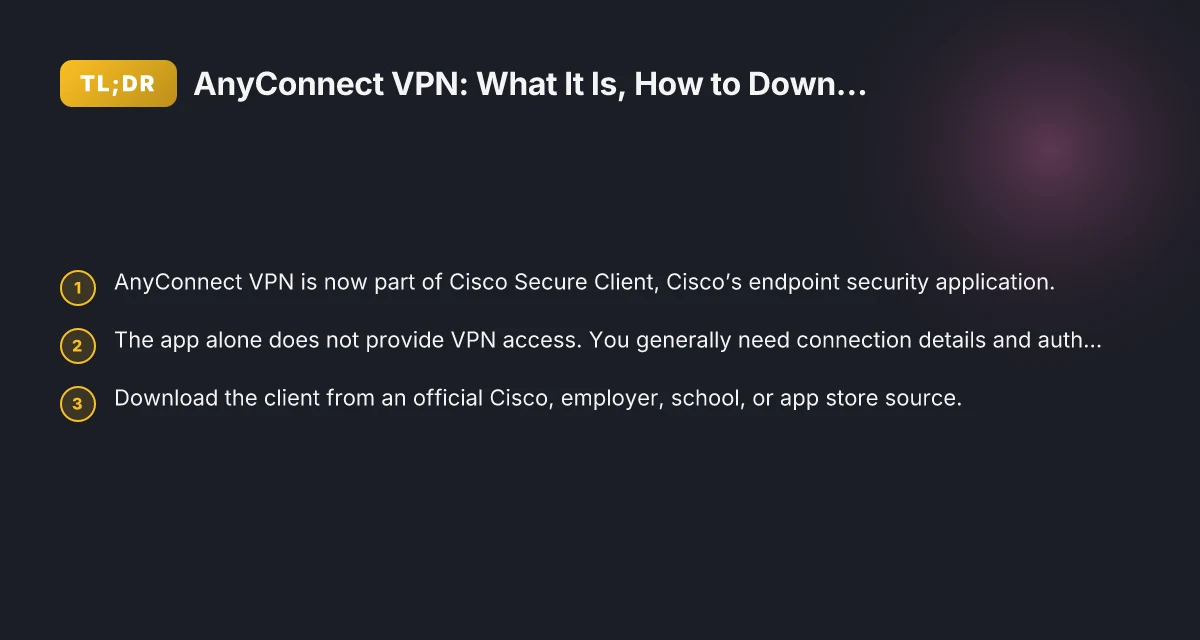
AnyConnect VPN is Cisco’s client for connecting to an organization’s network over a virtual private network (VPN). It is now included in Cisco Secure Client, so if you are looking for a new AnyConnect download, you may see the newer product name instead. The software is commonly provided by an employer, university, or other network administrator. Installing it does not, by itself, grant access to a VPN.
Comparing AnyConnect VPN access options
| Option | Who provides it | Cost | What you need | Best for |
|---|---|---|---|---|
| Employer access | Your employer | Depends on employer | Organization account | Work resources |
| University access | Your university | Depends on university | Student or staff account | Campus resources |
| Other organization access | The organization | Depends on organization | Organization account | Members or contractors |
| Personal access without an organization | Not provided by AnyConnect alone | No standalone access | An organization’s VPN service | Not available on its own |
| Existing VPN entitlement | Your organization or service provider | Depends on plan | Valid entitlement | Authorized users |
| Guest access | Your organization | Depends on its policy | Guest account, if offered | Approved visitors |
Compiled November 2026; check the provider's site for current details.
| VPN | Obfuscation | From / month | Plan | Free plan | Refund | Alipay | UnionPay | Crypto | Website opens in China | Trustpilot | |
|---|---|---|---|---|---|---|---|---|---|---|---|
 ZoogVPN | Turn on manually Shadow | $2.49/mo | 27 months: $59.99 | Yes | 7 days | ✓ | ✓ | ✓ | ✓ | Official site blocked; our special link opens (4.4 s) | 4.2/5 (195 reviews) |
 NordVPN | Turn on manually Obfuscated Servers / NordWhisper | $3.49/mo | 27 months: $94.23 | No | 30 days | ? | ✗ | ✓ | ✓ | ✗ Blocked | 4.2/5 (51,628 reviews) |
 ExpressVPN | ✓ On by default all servers | $3.00/mo | 28 months: $84 | No | 30 days | ✗ | ✗ | ✓ | ✗ | ✗ Blocked | 4.4/5 (29,706 reviews) |
 Surfshark | ✓ On by default Camouflage, with OpenVPN | See site | See site | No | 30 days | ✗ | ✗ | ✗ | ✓ | ✗ Blocked | 4.3/5 (31,823 reviews) |
 Proton VPN | Turn on manually Stealth, free plan too | $2.99/mo | 12 months: $35.88 | Yes | 30 days | ✗ | ✗ | ✗ | ✓ | ✗ Blocked | 2.1/5 (1,040 reviews) |
 Astrill VPN | Turn on manually StealthVPN / OpenWeb | $12.50/mo | 24 months: $300 | No | See site | ✗ | ✗ | ✗ | ✓ | ✗ Blocked | 1.3/5 (110 reviews) |
 Private Internet Access | Turn on manually Shadowsocks, OpenVPN only | $2.03/mo | 40 months: $81.2 | No | 30 days | ✗ | ✗ | ✗ | ✗ | ✗ Blocked | 4.2/5 (11,033 reviews) |
 CyberGhost | Turn on manually selected servers | $2.19/mo | 28 months: $61.32 | No | 45 days | ✗ | ✗ | ✗ | ✓ | ✗ Blocked | 4.0/5 (24,178 reviews) |
 PureVPN | Turn on manually switch to OpenVPN | $1.69/mo | 60 months: $101.55 | No | 31 days | ? | ? | ✗ | ✓ | ✗ Blocked | 4.4/5 (17,994 reviews) |
 AdGuard VPN | ✓ On by default TrustTunnel | $2.99/mo | 24 months: $71.76 | Yes | 30 days | ✓ | ✗ | ✓ | ✓ | Official site blocked; our special link opens (3.7 s) | 4.3/5 (290 reviews) |
 Mullvad | Turn on manually QUIC / Shadowsocks / LWO | $5.61/mo | €5/mo | No | 14 days | ✗ | ✗ | ✗ | ✓ | ✗ Blocked | 3.2/5 (192 reviews) |
 Windscribe | Turn on manually Stealth / WStunnel | $5.75/mo | 12 months: $69 | Yes | See site | ✗ | ✗ | ✗ | ✓ | ✗ Blocked | 4.7/5 (13,355 reviews) |
 StrongVPN | Turn on manually Scramble, OpenVPN TCP | See site | See site | No | 30 days | ✓ | ✗ | ✗ | ✗ | ✗ Blocked | 4.4/5 (2,695 reviews) |
 LightXtreme 闪连 | Not listed | $7.08/mo | 12 months: $84.99 | Yes | 30 days | ✓ | ✓ | ✓ | ✓ | ✓ Yes (3.5 s) | No page |
Prices checked 2026-11-10 on each vendor's pricing page (cheapest long plan, USD). Check the vendor's checkout for the final price.
Obfuscation checked 2026-11-14 on each vendor's site and help center: "on by default" = nothing to set; "turn on manually" = switch protocol or mode in settings; "not listed" = the vendor describes no obfuscation.
Payment methods checked 2026-11-10 on each vendor's payment pages: all 14 take cards and PayPal; ✗ = not listed, ? = the vendor's own pages disagree.
China access: whether the official website opens from mainland China networks (tests the website only, not the VPN connection). Last checked 2026-11-18 01:02 Beijing time.
Trustpilot score and review count checked 2026-11-10.
What is AnyConnect VPN?
Cisco AnyConnect Secure Mobility Client was designed to help authorized users securely reach work or school network resources from outside the organization. Cisco has since brought AnyConnect VPN into Cisco Secure Client, which also helps IT and security teams manage endpoint security tools.
A VPN creates an encrypted connection between your device and a network gateway. Once connected, you may be able to use internal websites, applications, file services, or other resources as if your device were on the organization’s network. Exactly what you can access depends on your organization’s configuration and your account permissions.
AnyConnect is not the same as a general-purpose consumer VPN subscription. The client is software. The organization controls the VPN service, access rules, and connection information. You will typically need an approved account and a server address or setup instructions from your IT department.
Is AnyConnect VPN free?
The app may be available to download without a separate purchase through an organization’s software portal or an official app store. But that does not mean you can use it to connect to any VPN service for free. Access generally depends on an organization providing the VPN gateway and authorizing your account. 365VPN(2026)
Cisco lists AnyConnect Secure Mobility Client v4.x as supported but no longer being sold. Cisco Secure Client is the current product name for the broader client that includes AnyConnect VPN capabilities. Availability and licensing depend on the organization that provides your access.
| What you’re asking about | What to expect |
|---|---|
| The client application | Available through official sources or an organization’s software portal |
| VPN access | Usually requires authorization and a compatible organization’s VPN service |
| Connection details | Typically supplied by your employer, school, or IT team |
| Product name | AnyConnect functionality is included in Cisco Secure Client |
If you are unsure whether your organization provides access, ask its IT help desk before downloading or attempting to connect.
Choosing a way to get AnyConnect
| Download route | Device or platform | Access requirement | Setup source | Consider when |
|---|---|---|---|---|
| Organization instructions | Supported device | Organization account | Employer or school | Preferred route |
| Organization software portal | Supported device | Organization account | Organization portal | Portal access is available |
| Official app store | Mobile device | VPN service details | App store listing | Your organization recommends it |
| Organization-managed installation | Managed computer | Organization approval | IT administrator | Device is centrally managed |
| IT support | Supported device | Proof of eligibility | Organization support team | Download options are unclear |
| Unofficial download site | Any device | Unverified | Third-party website | Avoid; source may be unsafe |
Compiled November 2026; check the provider's site for current details. free VPN extension for edge(2026)
How to download AnyConnect
Use the download source recommended by the organization whose network you need to access. Many employers and schools offer a customized installer and setup guide. The search results also list Cisco Secure Client for Windows, Apple devices, and other supported platforms.
- Windows: Check your organization’s software portal or instructions. Cisco Secure Client is also listed in the Microsoft Store.
- iPhone or iPad: Search the Apple App Store for Cisco Secure Client, which includes AnyConnect VPN.
- macOS or Linux: Follow your organization’s software page or Cisco’s current Secure Client guidance.
Before installing, confirm that the app is published by Cisco or supplied through your organization’s official channel. Avoid downloading installers from unfamiliar websites. If your organization provides a specific version or installation package, use that rather than choosing a different release on your own.
The installation steps vary by device and organization. You may need administrator permission on a computer, and some organizations require additional security checks or configuration.
How to connect to AnyConnect VPN
The exact screens vary by platform, but a typical connection works like this: f5 VPN client(2026)
- Install Cisco Secure Client or the organization-provided AnyConnect client.
- Open the app and enter the VPN server address supplied by your IT team, if it is not already configured.
- Select Connect.
- Sign in with your organization’s credentials and complete any required verification, such as multi-factor authentication.
- Confirm that the client shows an active connection, then open the work or school resource you need.
- When finished, disconnect using the app, unless your organization’s instructions say otherwise.
On Apple devices, Cisco notes that AnyConnect does not automatically connect by default. An organization may configure On-Demand or Per-App VPN behavior, so the connection experience can differ from one setup to another.
Do not guess the server address or use credentials from an untrusted prompt. If you cannot connect, check that your internet connection is working, verify the address and sign-in details, and contact your organization’s IT support.
Common questions and troubleshooting
Why can’t I connect?
A failed connection can result from an incorrect VPN address, expired credentials, an incomplete setup, or an issue with the organization’s service. Some organizations also limit access to approved devices or require a particular client configuration.
Try these steps: radmin VPN(2026)
- Confirm that you are using the VPN address and instructions provided by your organization.
- Check whether your username, password, or verification method needs attention.
- Restart the client and try again on a stable internet connection.
- Look for organization-specific setup or troubleshooting guidance.
- Contact IT support if the error continues. Include the error message and your device type.
Do I need AnyConnect if I already have a VPN app?
A different VPN app usually cannot connect to your organization’s Cisco VPN unless the organization explicitly supports it. Use the client and setup instructions your IT team recommends.
Is the older AnyConnect app still available?
You may encounter the AnyConnect name in older instructions or existing installations. Cisco’s current product presentation uses Cisco Secure Client, while the Cisco AnyConnect Secure Mobility Client v4.x page identifies that version as supported but no longer being sold. Follow your organization’s guidance about which version to install or keep.
Troubleshooting common AnyConnect connection issues
| Issue | Check first | Likely next step | Contact |
|---|---|---|---|
| Cannot sign in | Username and password | Reset credentials if needed | Organization help desk |
| Server address missing | Organization instructions | Confirm the correct VPN address | IT administrator |
| Connection is rejected | Account access and VPN entitlement | Ask whether access is enabled | Organization help desk |
| App is unavailable | Device compatibility and store | Follow the organization’s download route | IT support |
| Connection drops | Network stability | Retry on a reliable network | IT support if persistent |
| Authentication prompt repeats | Required sign-in method | Follow organization authentication steps | Organization help desk |
Compiled November 2026; check the provider's site for current details. what is my ip address nordVPN(2026)
Recommendation
If you need AnyConnect VPN for work or school, start with your organization’s IT portal or help desk. Download the Cisco Secure Client or AnyConnect version they specify, then connect using the official server address and your authorized account. This is the safest way to get the right software and ensure your VPN access is configured correctly.